
Many entrepreneurs believe UX and UI design are interchangeable terms for making websites look attractive. This misconception costs businesses thousands in lost conversions and frustrated users. UX focuses on overall experience including usability and satisfaction whereas UI is about the visual and interactive elements of a product. Understanding this distinction transforms how you approach digital products. This guide clarifies what UX and UI design truly mean, why both matter for your business success, and how to apply these principles to boost engagement and sales.
Table of Contents
- Key takeaways
- Understanding UX and UI design fundamentals
- How UX/UI design benefits entrepreneurs and small businesses
- Key components and tools used in UX/UI design
- Applying UX/UI design principles to your business
- Enhance your business with expert digital design support
- What is the difference between UX and UI design?
- How can UX/UI design improve my small business website?
- What tools do I need to start improving UX/UI?
Key Takeaways
| Point | Details |
|---|---|
| UX versus UI distinction | UX covers the overall experience including usability and satisfaction from discovery to purchase, whereas UI concentrates on visual and interactive elements. |
| User centred design | Placing users at the centre reduces friction by guiding decisions with research, testing and iterative improvement. |
| Design drives conversions | Thoughtful design drives engagement and improves conversion rates. |
| Tools and processes | The design process includes user research, usability testing, accessibility checks and iterative refinement. |
| Entrepreneur application tips | Investing two weeks in upfront user research saves months of costly revisions and helps prevent avoidable customer loss. |
Understanding UX and UI design fundamentals
User experience design encompasses everything affecting how people interact with your digital product. It covers the entire journey from first discovering your website to completing a purchase or task. UX designers research user needs, map out workflows, ensure accessibility for all abilities, and test solutions with real people. The goal is removing friction so users accomplish their objectives quickly and pleasantly.
User interface design focuses specifically on visual and interactive elements users see and touch. UI designers choose colour schemes, typography, button styles, and layout structures. They create consistency across pages so users know what to expect. Visual hierarchy guides attention to important elements first. Responsive design ensures interfaces work beautifully on phones, tablets, and desktops.
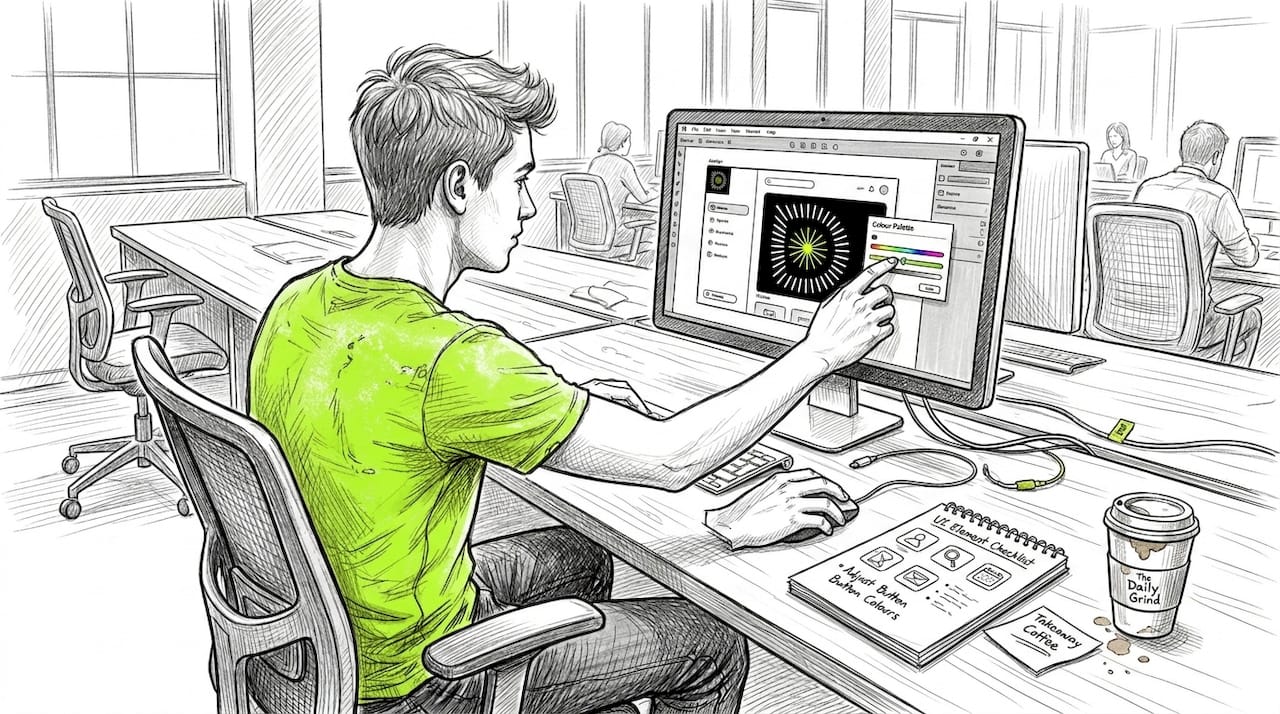
These disciplines complement rather than compete. Think of UX as the blueprint for a house and UI as the interior decoration. Both need excellence for the home to function well and feel inviting. A beautiful interface with poor usability frustrates users. Intuitive functionality with ugly visuals damages brand perception and trust.
Key UX principles include usability testing with real users, accessibility compliance for disabilities, thorough user research before designing, and iterative improvement based on data. Strong UI principles demand visual consistency across all screens, clear hierarchy showing what matters most, responsive layouts adapting to any device, and intuitive interactive elements requiring no explanation.
Pro Tip: Most entrepreneurs skip user research to save time and money, then spend far more fixing problems after launch. Investing two weeks in research before design saves months of expensive revisions and prevents losing customers to avoidable frustrations.
Understanding UX/UI design fundamentals means recognising that users judge your business credibility within seconds of landing on your site. Poor design signals unprofessionalism regardless of your actual expertise. Excellent design builds immediate trust and encourages exploration. Your digital presence is often the first and sometimes only interaction potential customers have with your brand.
How UX/UI design benefits entrepreneurs and small businesses
Good UX design directly reduces the frustration that causes visitors to abandon your site. When users find information quickly, complete purchases without confusion, and navigate intuitively, they stay longer and return more often. Businesses that improve UX can see increased customer satisfaction and higher conversion rates, directly impacting growth. Every removed obstacle in the user journey translates to more completed goals, whether that's signing up for newsletters, requesting quotes, or buying products.
UI design builds brand recognition and establishes trust before users read a single word. Consistent visual language across your digital touchpoints creates professional credibility. Colour psychology influences emotional responses. Typography affects readability and perceived authority. Well-designed interfaces signal that you care about details and user experience, suggesting you'll deliver the same quality in your actual products or services.
Conversion rates improve dramatically with thoughtful design. A confusing checkout process loses sales at the final step. Unclear calls to action leave users unsure what to do next. Poor mobile experiences frustrate the majority of traffic. Small design improvements often yield 20-50% increases in conversions without changing your actual offering or pricing.
Key benefits for small businesses include:
- Faster task completion reduces user frustration and increases satisfaction
- Better mobile experiences capture the 60% of traffic from phones and tablets
- Lower support costs when interfaces explain themselves clearly
- Improved accessibility expands your potential customer base
- Stronger brand perception differentiates you from competitors
- Higher customer retention through pleasant, memorable experiences
Investing in UX/UI design isn't decorative spending, it's strategic infrastructure that compounds returns over time through increased conversions, reduced support burden, and stronger customer loyalty that drives referrals and repeat business.
The UX/UI impact on business growth extends beyond immediate conversions. Positive experiences create word-of-mouth marketing. Users share products that delight them. They forgive occasional issues when overall experience remains strong. Poor design creates negative reviews and social media complaints that damage reputation far beyond the initial lost sale.
Key components and tools used in UX/UI design
Wireframes are simple sketches showing page layouts without visual design. They map where elements go and how users move between screens. Wireframes let you test structure and flow before investing in detailed design. Changes cost minutes instead of hours.
Prototypes are interactive mockups simulating the actual product. Users click through realistic flows, revealing usability issues before development. Prototyping catches problems when fixing them is cheap. It also helps stakeholders visualise the final product and provide meaningful feedback.
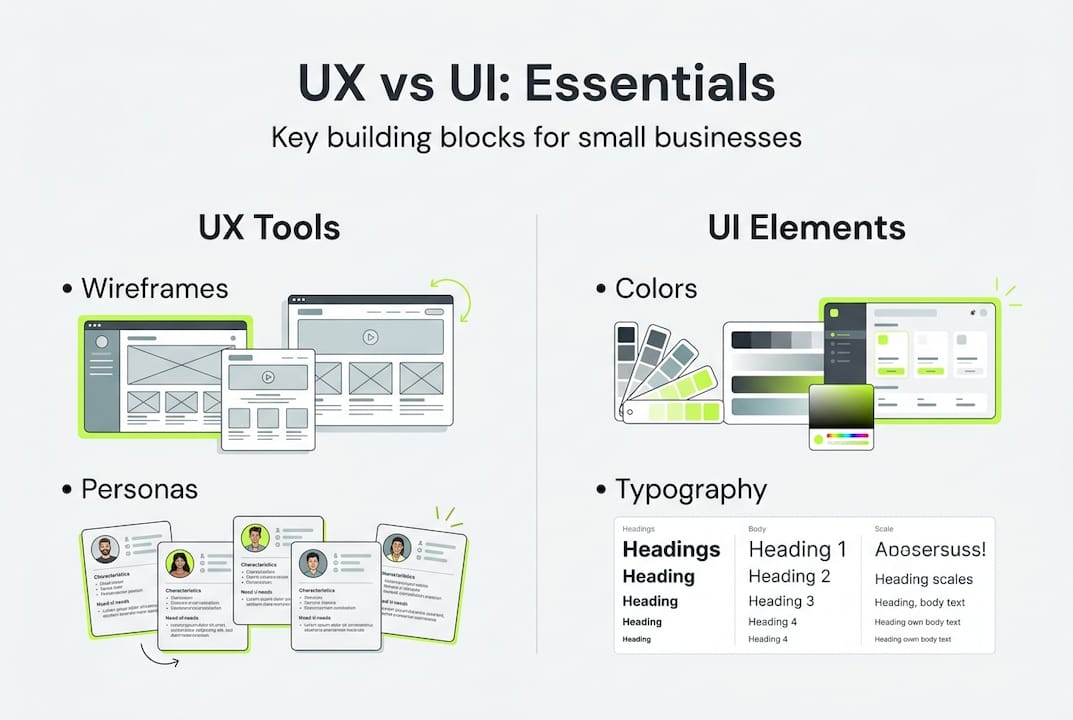
Mockups are high-fidelity visual designs showing exactly how interfaces will look. They include real colours, typography, images, and branding. Mockups let you perfect visual design separately from functionality. They serve as specifications for developers.
User personas are fictional representations of target customers based on research. They include demographics, goals, frustrations, and behaviours. Personas keep design decisions focused on real user needs rather than assumptions. They prevent building features nobody wants.
Modern UX/UI design employs tools like wireframing, prototyping, and user testing software to iterate designs effectively. The right tools accelerate workflows and improve collaboration between designers, developers, and stakeholders.
| Tool | Primary use | Starting cost | Best for |
|---|---|---|---|
| Figma | Interface design, prototyping | Free tier available | Collaborative teams, full design process |
| Sketch | UI design, mockups | £99/year | Mac users, detailed visual design |
| Adobe XD | Prototyping, design systems | £11/month | Adobe ecosystem users |
| Balsamiq | Wireframing | £9/month | Quick low-fidelity sketches |
| Hotjar | User testing, heatmaps | Free tier available | Understanding user behaviour |
| Maze | Prototype testing | Free tier available | Gathering user feedback quickly |
User testing platforms like UserTesting and Lookback let you watch real people use your designs. Analytics tools including Google Analytics and Mixpanel reveal where users struggle or abandon flows. Heatmap software shows where users click, scroll, and spend time. These tools transform guesswork into data-driven decisions.
Pro Tip: Start with free tiers of Figma and Hotjar rather than expensive enterprise tools. Master basic functionality before upgrading. Many small businesses never need paid features. Complexity grows naturally as your needs expand.
Choosing UX/UI design tools depends on team size, budget, and technical skill. Solo entrepreneurs benefit from all-in-one platforms. Larger teams need collaboration features. Evaluate tools based on learning curve, not just feature lists. The best tool is the one you'll actually use consistently.
Applying UX/UI design principles to your business
Start with user research to understand who uses your product and what they need. Interview existing customers about their goals and frustrations. Survey potential users about their expectations. Analyse competitor products to identify gaps and opportunities. Research prevents building features nobody wants or solving problems nobody has.
Create user personas representing your target audiences. Document their demographics, technical skills, goals, and pain points. Reference personas when making design decisions. Ask whether each feature serves persona needs. Personas keep teams aligned on who they're serving.
Develop wireframes mapping user flows through key tasks. Sketch multiple layout options quickly. Test flows with colleagues or customers using paper prototypes. Identify confusing navigation or missing information before detailed design begins. Wireframing is where you catch structural problems cheaply.
Design high-fidelity mockups incorporating your brand identity. Establish visual hierarchy guiding users to important elements. Ensure sufficient colour contrast for accessibility. Choose typography balancing aesthetics with readability. Create consistency through reusable components and design systems.
Build interactive prototypes simulating the real product. Test prototypes with actual users, not just stakeholders. Watch where they hesitate, click wrong elements, or express confusion. User testing reveals assumptions that seemed obvious but confuse real people. Iterate designs based on feedback before development.
Deploy your product in stages if possible. Launch to small user groups first. Monitor analytics and gather feedback. Identify issues before full release. Staged rollouts reduce risk and allow course correction.
Iterate continuously based on user behaviour and feedback. Continuous testing and iteration based on user feedback is critical for effective UX/UI implementation. Design is never finished. User needs evolve. Technology changes. Competitors innovate. Regular improvements keep your product relevant and competitive.
Pro Tip: Prioritise mobile-first design even if most current traffic comes from desktops. Mobile usage grows yearly. Mobile-first forces focus on essential features and content. Designs that work on small screens adapt easily to larger ones. The reverse rarely succeeds.
When choosing UX/UI designers or agencies, review portfolios for work similar to your industry and scale. Ask about their research and testing processes, not just visual skills. Request client references and inquire about communication and iteration. Avoid designers who promise quick solutions without understanding your users. Quality implementing UX/UI design requires time for research, testing, and refinement.
Enhance your business with expert digital design support
Transforming UX/UI principles into profitable digital products requires expertise, tools, and ongoing optimisation. Digital Sphere specialises in creating responsive websites and mobile applications that combine beautiful interfaces with intuitive user experiences. Our team employs AI-driven insights alongside expert human design to build digital presences that convert visitors into loyal customers.
Explore the Digital Sphere homepage to discover tailored solutions for startups and growing businesses. Access our client dashboard for project management and support throughout your design journey. Download our comprehensive digital marketing ebook to learn how UX/UI design integrates with broader digital strategies. We provide the expertise and tools to enhance your online presence and achieve measurable business growth.
What is the difference between UX and UI design?
Does UX design only focus on websites?
No, UX design applies to any product or service users interact with, including mobile apps, software, physical products, and even in-person services. The principles of understanding user needs, removing friction, and creating satisfying experiences work across all mediums.
Can one person handle both UX and UI design?
Yes, especially in small businesses or startups where resources are limited. Many designers develop skills in both disciplines, though larger projects often benefit from specialists focusing on their strengths. The key is understanding both perspectives even if you specialise in one.
How long does UX/UI design take for a typical project?
A small business website typically requires 4-8 weeks for research, design, and testing. Complex applications may need 3-6 months. Rushing design to save time usually costs more in revisions and lost conversions. Proper planning and iteration create better outcomes.
How can UX/UI design improve my small business website?
Will better design actually increase my sales?
Yes, improved UX/UI directly impacts conversion rates by removing obstacles between visitors and their goals. Clearer navigation, faster load times, mobile optimisation, and intuitive interfaces all reduce abandonment. Even small improvements often yield 20-30% conversion increases.
How do I measure UX/UI improvements?
Track metrics like conversion rates, task completion time, bounce rates, and user feedback scores. Compare before and after implementing changes. Analytics tools show where users struggle or abandon flows. A/B testing reveals which design variations perform better.
Should I redesign my entire website or make incremental changes?
Start with incremental improvements to high-impact areas like checkout processes, contact forms, or landing pages. Test changes and measure results. Complete redesigns risk disrupting what already works well. Gradual optimisation based on data delivers better returns with lower risk.
What tools do I need to start improving UX/UI?
Are expensive design tools necessary for small businesses?
No, free tools like Figma, Hotjar's free tier, and Google Analytics provide excellent starting capabilities. Master basic functionality before upgrading to paid versions. Many small businesses never need enterprise features. Focus on using tools consistently rather than collecting expensive software.
Can I improve UX/UI without hiring designers?
Yes, entrepreneurs can make significant improvements by studying UX principles, gathering user feedback, and implementing best practices. Start with simple changes like improving mobile responsiveness, clarifying calls to action, and speeding up load times. Consider hiring designers for complex projects or when internal efforts plateau.
What's the most important tool for UX/UI beginners?
User feedback is the most valuable tool regardless of budget or technical skill. Talk to customers, watch them use your product, and ask about frustrations. Direct observation reveals problems you'd never imagine. Combine user insights with free design tools to make informed improvements that actually matter to your audience.